How to track expenses from bank SMS in Pakistan
If your bank or mobile wallet sends transaction alerts, Khaata AI for Android can scan supported messages and suggest records for your expense tracker. You choose which records to save.
Scan and review your transactions
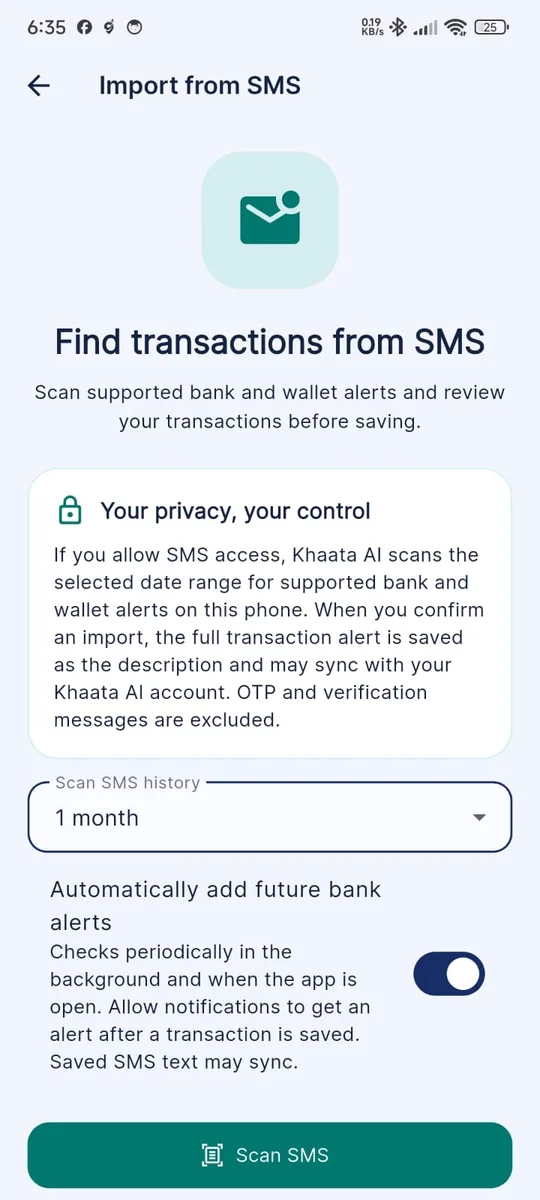
- Open Import from SMS in Khaata AI on Android. Allow SMS access if you want the app to scan alerts on your phone.
- Choose a range under Scan SMS history, then tap Scan SMS. Start with a short period if you already track some expenses manually.
- Review the suggested records. Check the amount and destination wallet, and deselect transactions you already entered or that are reflected in your starting balance.
- Tap Save to import the selected transactions. Review any balance warning before confirming.
If an alert does not appear
Check the scan period and whether the message is on the phone you scanned. Support depends on the sender and the alert format. You can add an expense manually or by voice when an alert is not recognized.
How to combine bank SMS and cash expenses
Use SMS import for supported bank and wallet alerts. Add cash expenses manually or by voice, then assign each expense to its payment wallet and spending category. For example, record cash groceries in your cash wallet and a card purchase in your bank wallet. Review both categories when you plan your next monthly budget.
What gets saved
When you confirm an import, the transaction alert is saved as the record description and may sync with your account. OTP and verification messages are excluded. Read the privacy policy for details.